



Virtual Boy on Nintendo Switch: Your FAQ Guide
Are you excited about experiencing Virtual Boy games on your Nintendo Switch? This guide answers your burning questions about compatibility, gameplay mechanics, and more!
Can Labo VR Goggles Work with Virtual Boy on Switch?
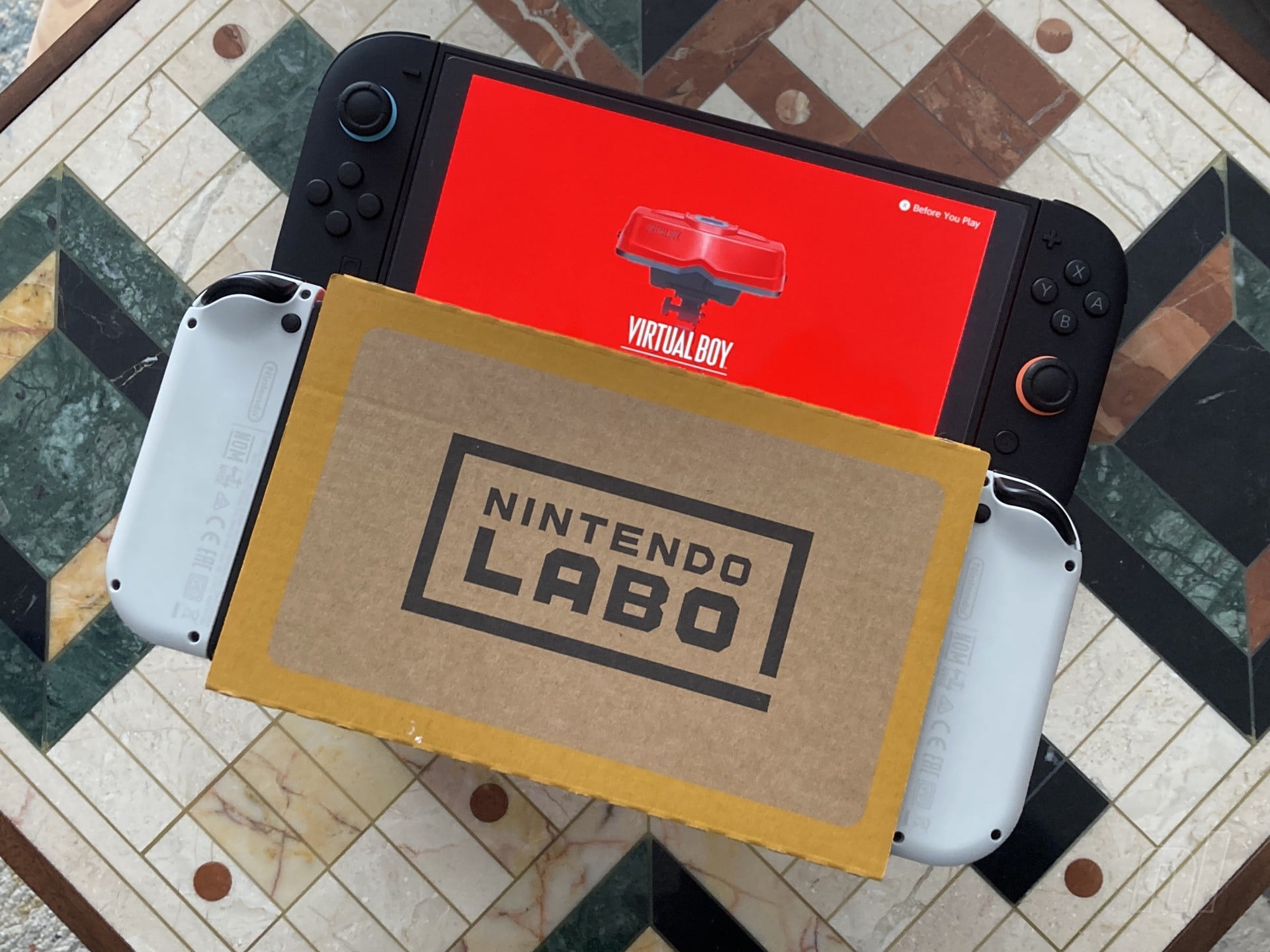
Yes, you can use Labo VR goggles to play Virtual Boy games on your Nintendo Switch! While Nintendo hasn’t officially endorsed this setup, it surprisingly holds up well. The original Switch and Switch OLED Model fit perfectly in the Labo goggles, allowing access to the Virtual Boy library. However, the Switch 2’s larger size poses a challenge, as it may require modifications to fit.
Holding the Goggles: Does it Cause Discomfort?
Some users may find holding the Labo goggles to their face a bit taxing on their arms, especially during longer gaming sessions. While it’s manageable for short gameplay, you might consider using cushions or other supports to enhance your comfort. Third-party accessories are also worth exploring for a better experience.
Adapting Switch 2 for Labo VR: Is it Possible?
If you’re willing to get creative, there are ways to modify the Labo VR goggles to accommodate a Switch 2. Though originally designed for the smaller Switch, some players have successfully repurposed their Labo goggles using tape or cutting techniques. Just remember that this is not an officially supported configuration, but it could be worth experimenting.
Can You Play Virtual Boy Games on TV?
Unfortunately, playing Virtual Boy games docked on your TV is not an option. The console only supports handheld mode, which means you’ll miss out on experiencing those 3D effects on a larger screen. This limitation can feel odd, especially considering the game’s historical significance in Nintendo’s library.
Playing without Peripherals: Is it Viable?
It is possible to play Virtual Boy games without the Labo peripherals, but the experience may be subpar. Even with the larger display option on Switch 2, the images will be quite small, measuring around 1.1 x 1.8 inches. This makes it challenging to fully enjoy the gameplay, so using the goggles is highly recommended for a better experience.
Adjusting 3D Effects on Your Switch
Customization is key when playing Virtual Boy games. You can adjust the interpupillary distance (IPD) from -20 to +20, providing a more tailored experience. Additionally, you can alter the image size, but keep in mind that you can only resize beyond the default size with the Switch 2. Excitingly, Nintendo plans to introduce hue adjustments later this year, allowing users to switch from the default red visuals to other colors!
Game Availability and Recommendations
As of now, there are seven playable Virtual Boy games available on Switch. If you’re wondering which title stands out, Wario Land is often considered the best launch game. Stay tuned for more reviews and insights about these games to find out which ones resonate the most with players.
For those eager to relive the memories of the classic Virtual Boy experience, using Labo VR goggles and experimenting with various configurations might just be your new gaming adventure. We’d love to hear about your experiences with unofficial methods or accessories!
