



My Journey with Ubuntu Linux on a Dell XPS 15
Recently, I decided to revitalize my 2019 Dell XPS 15, which had been sitting unused for a couple of years. Alongside my colleagues experimenting with Linux, I thought it was time to breathe new life into my old device by installing Ubuntu.
Hardware Limitations of Windows
Despite being equipped with a high-end Core i7 CPU and 32GB of RAM, Windows performance on my XPS was frustratingly slow. The fan consistently ran at full capacity, even with minimal usage, and I frequently encountered issues during updates. This led me to transition to an M1 MacBook Pro, but I yearned for a distraction-free environment for my eldest child to practice typing, as well as for my own writing pursuits.
A Return to My Linux Roots
Prior to my foray into macOS, I was an avid Linux user, initially installing Ubuntu on a ThinkPad X40 in 2006. For 13 years, it remained my primary operating system, allowing me to enjoy a unique computing experience. As I revisited Linux, I was excited to see how it had evolved since my last installation.
Modern Challenges with Linux
While the installation process for Ubuntu hadn’t changed significantly, the interface had become aesthetically appealing. However, I quickly encountered the familiar quirks of Linux; issues with Wi-Fi functionality and fingerprint readers reminded me that some challenges remain. Even more concerning was an EFI partition issue that interfered with system updates and caused confusion during dual-booting.
Software Installation Issues
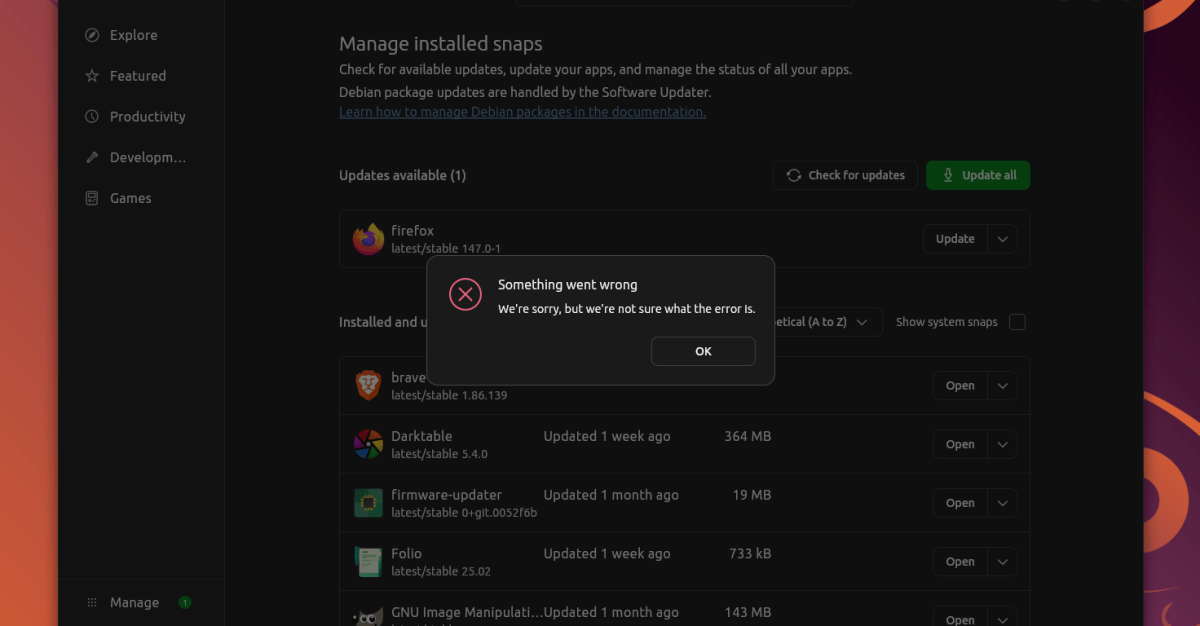
The excitement of having Ubuntu installed was tempered by the reality of certain applications failing to install without clear error messages. Navigating through terminal commands to install software brought to mind the complexities of Linux package management, which can still be daunting for users, especially those returning after several years.
Overall User Experience: Pros and Cons
Despite the technical hurdles, I found that using Ubuntu for basic tasks like web browsing was a smooth experience. My XPS now operates quieter and faster compared to its Windows installation. However, activities like gaming and music production showcased the ongoing challenges. While Ubuntu supports various music production software, the seamless user experience I found on macOS, particularly with Ableton Live, is unmatched.
The Future of Linux Gaming and Music Production
Linux has come a long way and is now a plausible platform for PC gaming. With software like Bitwig and Reaper available, music production has improved too, offering serious competition to traditional platforms. However, I was still reminded that while Linux allows for customization, it also demands significant time and effort, potentially detracting from other creative pursuits.
Conclusion: Is Linux Right for You?
My experience with Ubuntu on the Dell XPS 15 highlighted the operating system’s potential while also underlining its limitations. For those comfortable with Linux’s intricacies, it offers a flexible alternative to Windows and macOS. However, for everyday tasks and creative endeavors, it often feels like there are easier and more efficient options available. The decision to embrace Linux should weigh the joy of tinkering against the need for reliability and ease of use.
