



Celebrating 25 Years of Halo: A Tribute to Creators
For the past 25 years, a diverse group of passionate creators has played a crucial role in shaping the Halo universe. From streamers and Let’s Players to machinima makers and lore experts, these talented individuals have enriched the Halo community, making it the vibrant fandom it is today. Without their contributions, the Halo experience would not be the same.
We owe a debt of gratitude to all the creatives who have channeled their skills and interests into Halo. Their work has fostered a space where fans can unite and share their love for the franchise. The Halo Studios Community team extends heartfelt thanks for a quarter-century of incredible creations and moments!
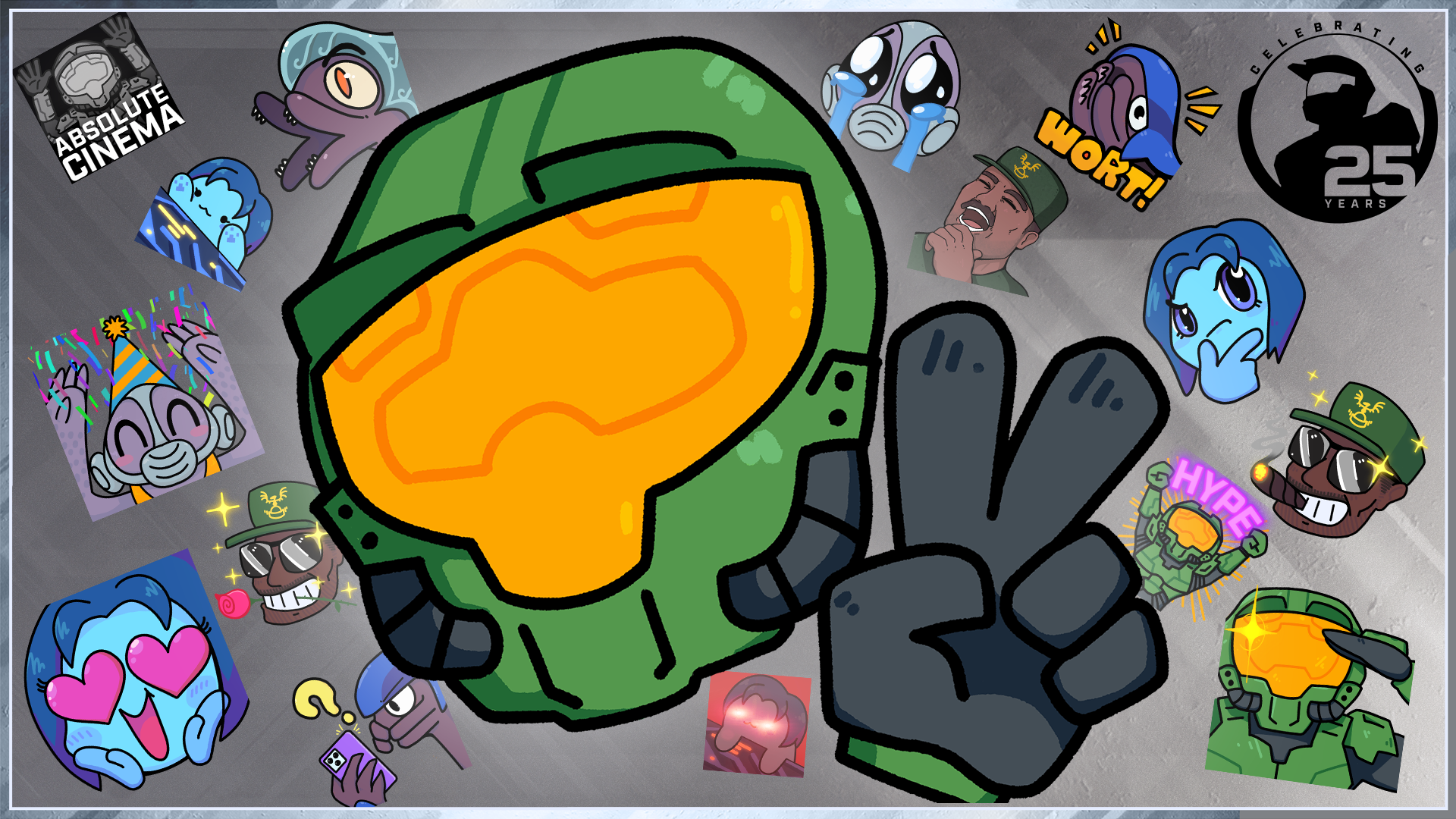
Introducing the Silver Anniversary Content Creator Bundle
As part of our year-long celebration of Halo’s 25th anniversary, we’re thrilled to unveil the Silver Anniversary Content Creator Bundle. This comprehensive streamer graphics pack is designed for everyone—from newcomers to seasoned creators. It includes:
- Custom alerts for subscribers, followers, donations, raids, and bits
- 15 unique Halo-themed emotes
- Graphics for stream lobbies, webcam overlays, profile borders, and more
- High-fidelity audio clips for your custom alerts
- Silver Anniversary-themed scene transitions
Download the Content Creator Bundle today to elevate your streaming experience. Read on for tips on integrating these essential elements into your OBS Studio setup!
Getting Started: Essential Components
Before you dive into streaming, ensure you have everything you need: a PC or laptop to run your streaming software and streaming software like OBS Studio or Streamlabs. If you plan to capture gameplay from a console, you’ll also need a video capture card. For a fully interactive experience, consider setting up accounts with services such as Streamlabs or StreamElements for added features like animated alerts.
Creating Your First Scene in OBS Studio
To capture gameplay, start by creating a new “Scene” in OBS Studio. These scenes serve as templates to organize various on-screen elements for different streaming contexts. For example, you might want to switch between gameplay and webcam views easily. To set up your first scene:
- Click the plus icon in the “Scenes” panel and name your scene (e.g., “Gameplay”).
- In the “Sources” panel, click the plus icon to select your video input method (e.g., “Display Capture” or “Video Capture Device”).
- Set up your desired video input and finalize your settings.
Enhancing Your Stream with Webcam and Overlays
Adding a webcam output is an optional but valuable way to engage with your audience. To set it up, add your webcam as a new source, then adjust its position and size on the screen to ensure it doesn’t obstruct vital gameplay elements. For added flair, incorporate a webcam overlay from the Creator Content Bundle to frame your image attractively.
Customized Alerts for Stream Interaction
Alerts enhance audience engagement, letting you recognize subscribers and donations in real time. We recommend using Streamlabs to set up your alerts. Begin with the “Alert Box” feature to create a “New Follower” alert, upload relevant animations from the Bundle, and customize the visual and sound components. You can also incorporate Halo sound effects for an immersive experience!
Final Touches: Scene Transitions and Chat Integration
To transition smoothly between scenes, utilize the Silver Anniversary transition included in your Bundle. Add it to OBS by selecting the “Stinger” option in the “Scene Transitions” panel, uploading your video file, and adjusting timing settings. Don’t forget to set up an integrated chat feed to foster interaction with your viewers. Create a “Chat Box” in Streamlabs, customize your settings, and link it back to OBS to keep viewer discussions lively.
Join the Halo Celebration!
With your streaming setup complete, you’re now ready to share your Halo adventures with the world. We’re excited to gather feedback on the Content Creator Bundle, and we encourage you to visit the Silver Anniversary Community Hub throughout the year for fresh content. Whether you’re a seasoned Spartan or a newcomer to the Halo universe, join us in celebrating 25 years of epic gaming moments. Don’t forget to share your Halo experiences on social media and participate in community polls to contribute to Halo’s ongoing legacy. #Halo25Together
